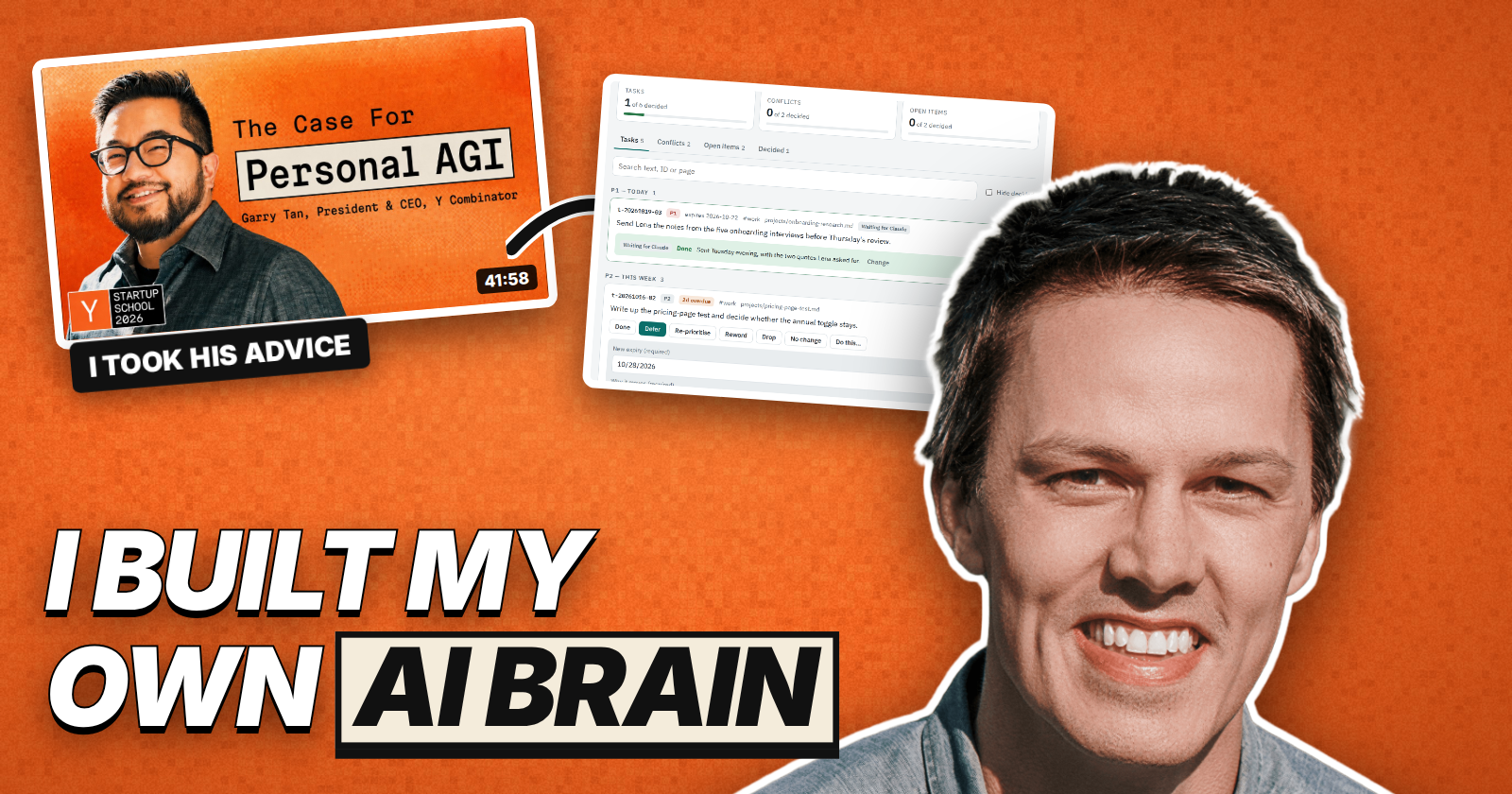
In August, Garry Tan closed YC’s Startup School with a talk called Own Your Intelligence. His argument was that the model is rented and gets cheaper every quarter, and the thing you actually own is your context. He even described what that looks like in practice: “a terminal window, a folder of markdown files, a job that finishes while you sleep.” Five days after it went up, I made the first commit on my own version.
Ten weeks later it runs most of my working day. I’m a product designer, so I built it like any product. One small piece at a time. Here’s what it is, what I learned building it, and what I’d tell anyone starting one.
What it is
It’s less exotic than it sounds. An old 2016 MacBook Pro sits at home running Ubuntu, and on it lives a git repo of plain markdown pages about people, companies, projects, meetings and notes. Claude Code is the agent. On top of the pages sit skills, which are written procedures the agent follows, and scripts for anything with an exact answer, like checking links or validating a page. Today that’s about 450 pages, 70 skills and nearly 60 scripts.
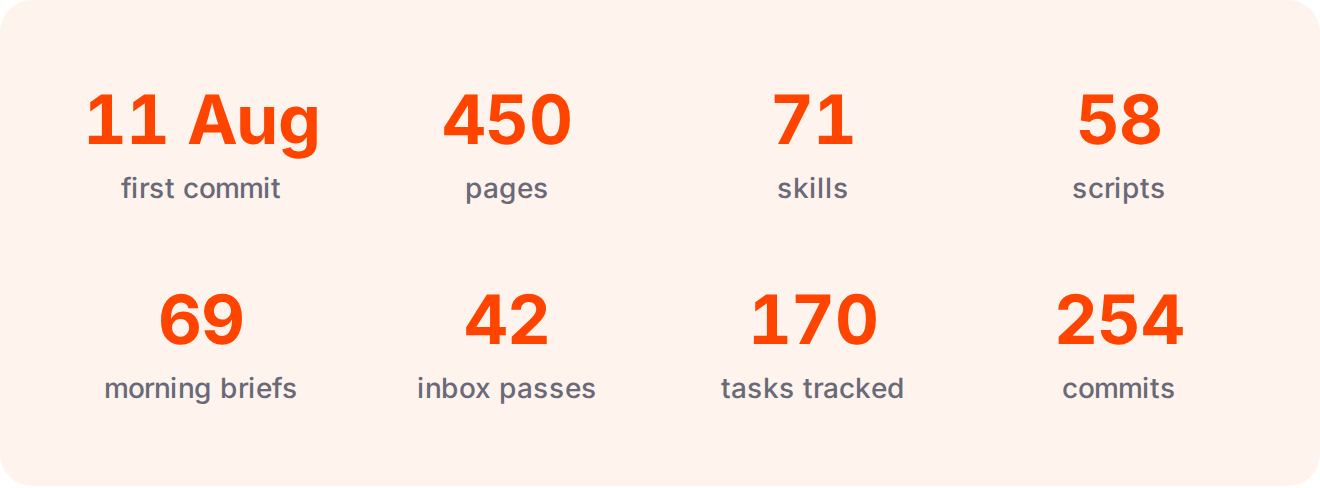
Counted from the repo on 21 October 2026.
A normal day looks like this. At 2am the agent reads yesterday’s changes and fixes pages that contradict each other. By 7:45 a brief is waiting with what ran overnight, new job postings and anything in my mail that needs me. The agent drafts replies to my email, but it can’t send anything. I took that permission away on day four. When a call ends, the recording is transcribed and filed against the person and the company, and I get a short coaching read on how I did. Calls aren’t all read the same way. A customer conversation, a working session and an investment call each get their own rubric. At 23:59 everything gets committed.
Start from scratch and borrow the ideas
The obvious move was to install Garry’s own open-source version, gbrain, and be done with it. I didn’t, and I’m glad. gbrain is serious engineering, with a Postgres index, vector search and a knowledge graph built for tens of thousands of pages. Karpathy’s LLM Wiki gist makes the same core argument with almost nothing: let the model compile what you know into durable, linked pages once, instead of digging through raw notes every time you ask a question.
I started much closer to Karpathy’s end. My library still has no database at all, just files, links and search. Because I built every piece myself, I understand every piece, and when something breaks I know where to look. Off the shelf, I’d have had a system I could run but couldn’t really reason about. The one thing I took from the talk straight away was its rule against one-off work. Anything worth doing twice becomes a skill.
Let the need come first
I still read the gbrain repo every so often, but only to see what I’m missing. The rule I ended up with is that I borrow something after I’ve already felt the need for it, never before. When I moved every to-do onto one board, 22 of the 98 open items turned out to be tracking the same 9 commitments, so I copied gbrain’s task model. Lesson extraction, which turns a correction into a rule so the agent doesn’t repeat a mistake, came over the same way, and so did a skill for mirroring a book chapter by chapter against my own notes.
Remote access went the same way. Until October, Claude’s Remote Control was enough, since it hands a running session on the server to my phone. Only when I was about to be away for a long stretch did I set up Tailscale so I could reach the server from anywhere. If I’d built all of that on day one, I’d have spent weeks on plumbing I didn’t need yet, and I wouldn’t really know what I had.
The upkeep can be a real cost
This is the part nobody puts in the demo. A system that writes tasks, flags conflicts and keeps notes will happily generate more of all three than you can handle. Left undefined, tending it costs about as much time as it saves.
The fix was deciding what counts as what, which turned out to be a design problem more than an engineering one. A task needs an end state and an expiry date, and on that date it gets done, rescheduled with a reason, or killed. A recurring habit isn’t a task, and a disagreement between two pages isn’t a task either. It’s a decision I owe, and it waits for my Friday review.
The agent needed the same kind of rules. In one day it gave me five confident wrong answers, and each one rested on a record it couldn’t find. So the library has a rule now that silence isn’t a finding, and a missing record gets written as “not recorded here” rather than “didn’t happen”. It takes real effort to keep up, but so far it’s been worth it.
Build small screens on top
Markdown is a good place to keep things and an awkward place to look at them. I still do most of the work in Claude Code, but reviewing is a different job. Reading the brief, clearing tasks or checking where things stand is just easier with a screen built for it, so I started building small ones.
There’s a drop page where I can drag in a file or paste a screenshot from any device at home, and it lands on the server. There’s a Decision Queue that lists every open task, conflict and held item, where I record a decision on each one and a session applies them. Before a call I get a one-page prep card to glance at while we talk, and a job board lists every role the morning briefs have found.
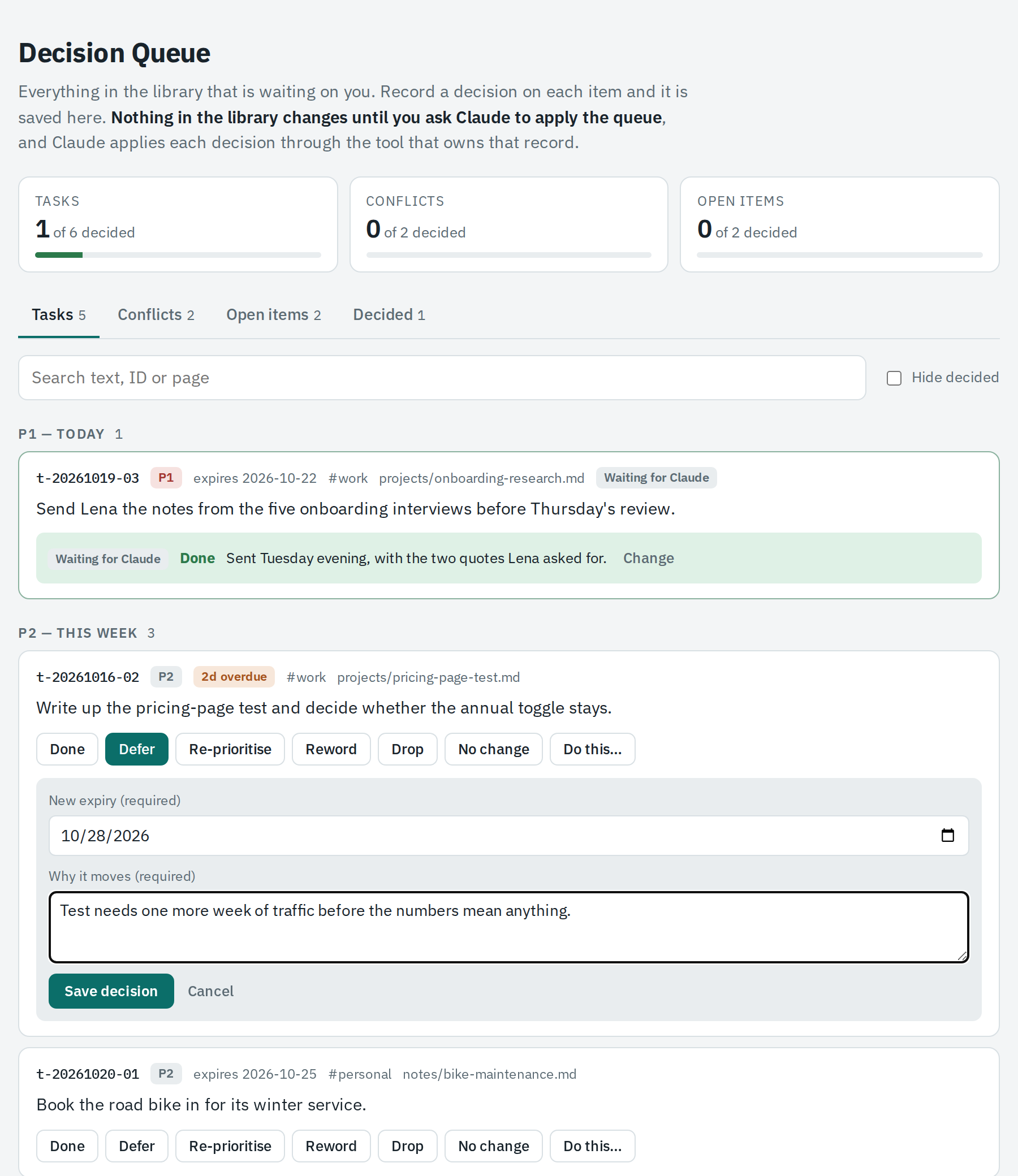
A Claude artifact. Every open task, conflict and held item on one page. I decide, and a session applies it and reports back. Sample data.
Drop a file from any device, decide what happens to it, and a session carries it out. Sample data.
None of these are big builds. The drop page and the job board are tiny servers on the home machine. The rest are Claude artifacts. That’s a page Claude publishes with a small database behind it, and it’s all a decision screen needs. They’re the right view on files that already exist, and that’s usually all a workflow needs to go from something I put off to something I just do. It’s the same lesson as any product, really, where the data model can be perfect and still nobody uses it until the interface fits the job.
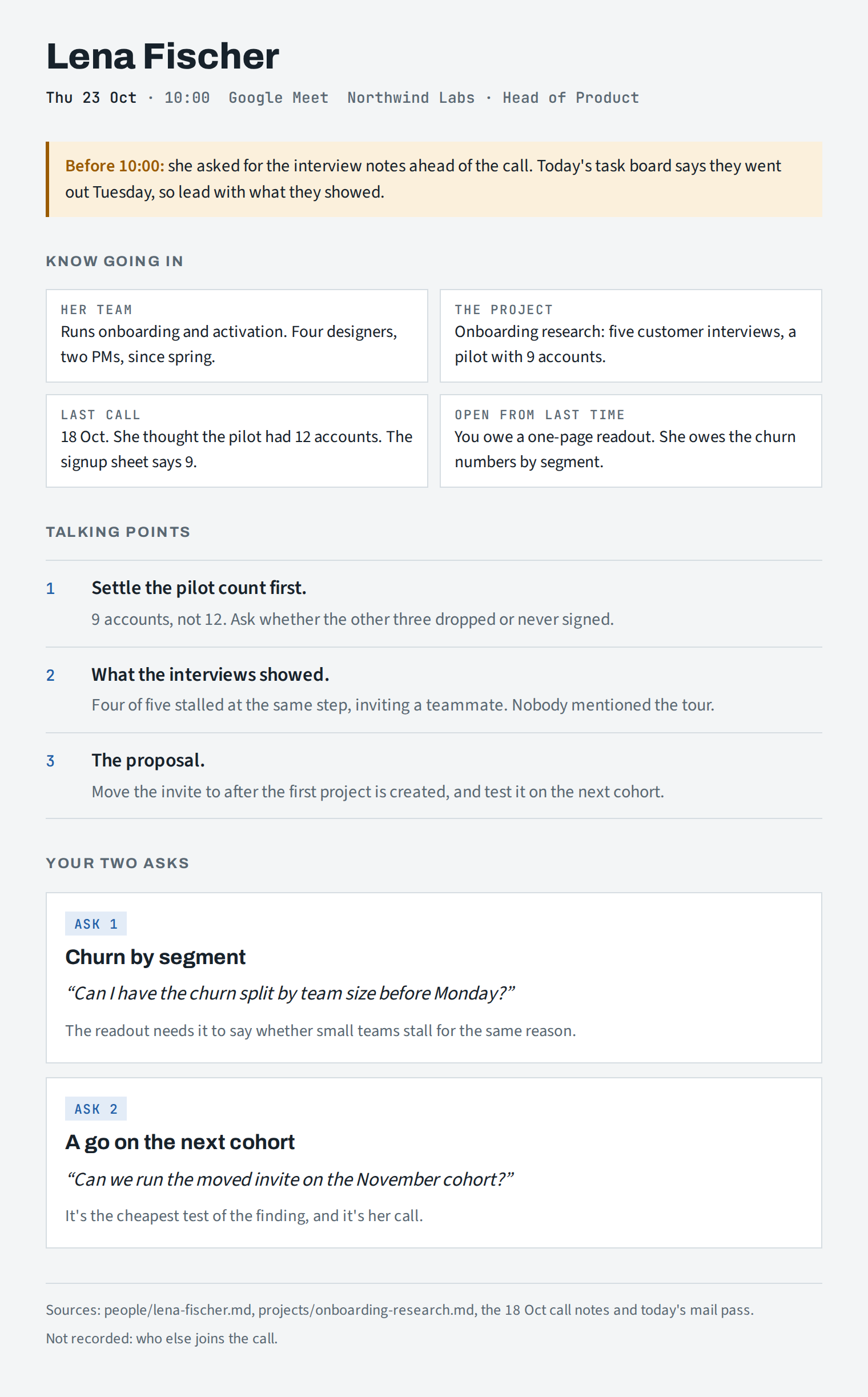
The one-page prep card I glance at during a call. Sample data.
What changed
The part I didn’t expect was how much it would change me rather than my files. I reply to people faster, because a draft is usually waiting by the time I open my mail. I follow up more, because every promise I make on a call lands on one board with a date, and a date that passes has to be dealt with instead of quietly forgotten.
I walk into meetings better prepared, since the prep card already knows our history and what we last talked about. I read more, because a book I mirror chapter by chapter gets tied to my own notes and stays useful after I finish it. I also write more, since a draft starts from pages that already exist instead of a blank one.
The change I notice most is in how I talk. Every call gets a coaching assessment that counts how often I hedge, and a handful of phrases like “I think”, “kind of” and “maybe” turned out to be most of it. It’s a hard habit to break, but my last two calls had my lowest counts in over a month. The same assessment times how fast I speak, which I’d never paid attention to before, and now I’m working on slowing down.
It’s not rocket science
It isn’t complicated. I built a piece, used it, watched where it broke and fixed it, over and over for ten weeks. The usefulness compounds, because every skill and every rule makes the next task a little cheaper than the last.
That’s also how I like to work on products. I’ve spent fourteen years in software, most of them in product design and product leadership, and lately most of my time has gone into building with AI hands-on. If you’re looking for someone who can design the product and also build the system behind it, I’d like to hear from you. You can reach me at hello@brentlarue.me or on LinkedIn, and you can see my work on my portfolio.